How Far Should a 27 Inch Monitor Be From Eyes? (Set It Up)
Note: If you buy through links on our site, we may earn an affiliate commission at no extra cost to you. How this works.
- Keep the screen 20 to 40 inches from your eyes
- Start at arm's length, then fine-tune
- Raise text scaling instead of leaning closer
- Put the top of the screen near eye level
- Look at something 20 feet away regularly
What is the right distance for a 27 inch monitor?
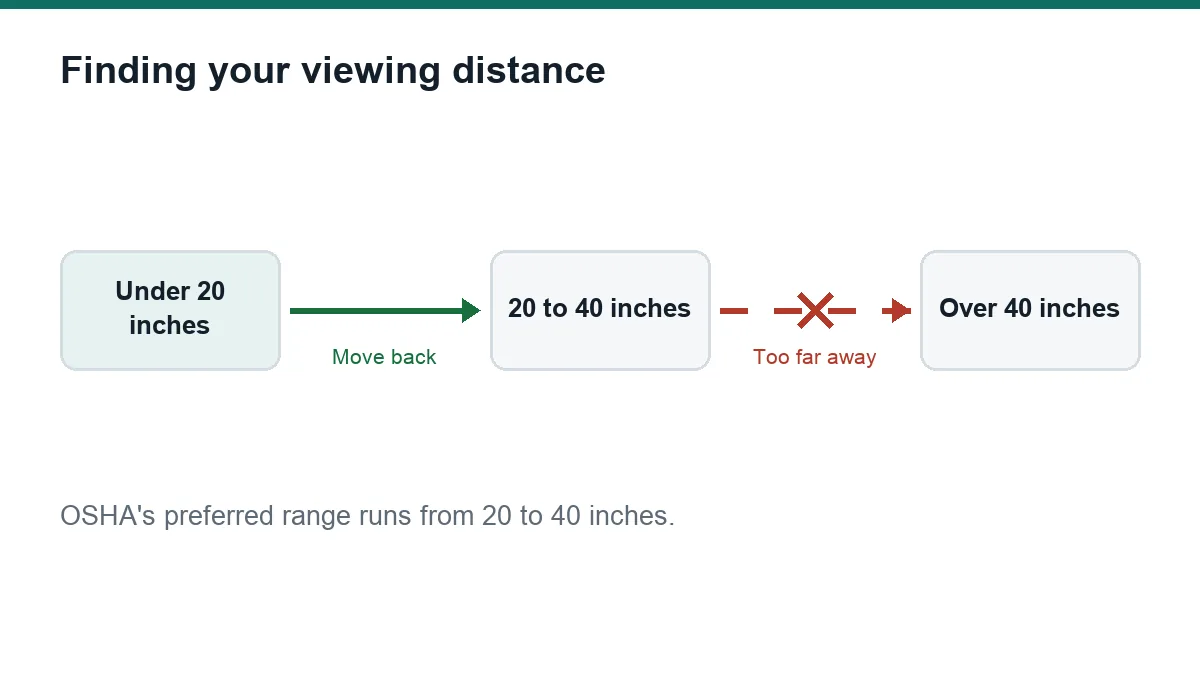
OSHA’s computer workstation eTool puts the preferred viewing distance between 20 and 40 inches, or 50 to 100 cm. That is measured from your eyes to the front of the screen. OSHA also says to place the monitor at least 20 inches away.
A 27 inch screen measures 27 inches across the diagonal. That size fits easily inside this range on a normal desk.
There is no single official number for a 27 inch screen. As general guidance, many people end up near arm’s length, toward the middle of OSHA’s range. A wide screen needs a bit more distance so you can see the edges without turning your head.
Key takeaway: the right distance lets you read all text with your head upright and your back on the chair. More setup help lives in our desk setup help hub.
What changes the best distance for you?
Your ideal spot inside the 20 to 40 inch range depends on a few factors:
- Resolution: a 4K 27 inch screen shows smaller text at default settings than a 1440p one. Sharper screens often need more text scaling.
- Text size: OSHA notes text size may need to go up so you can sit at a comfortable distance.
- Your eyesight: glasses, bifocals or untreated vision changes all shift what feels clear.
- Desk depth: a shallow desk can force the screen too close. OSHA suggests pulling the desk from the wall or using a corner.
- Curved screens: a curve keeps the edges at a more even distance, so many people sit a little closer.
- Task: detailed photo or spreadsheet work may pull you closer than video or reading.
What happens if the screen is too close or too far?
OSHA explains both problems. A screen that is too far makes you lean forward and squint at small text. Your back then leaves the chair’s support, which tires the torso.
A screen that is too close makes your eyes work harder to focus. You may also tilt your head back or push your chair away. Then you end up typing with your arms stretched out.
Distance and height work together. If the screen also sits low, fix that first with our guide on raising a monitor without a stand.
How to set your 27 inch monitor distance
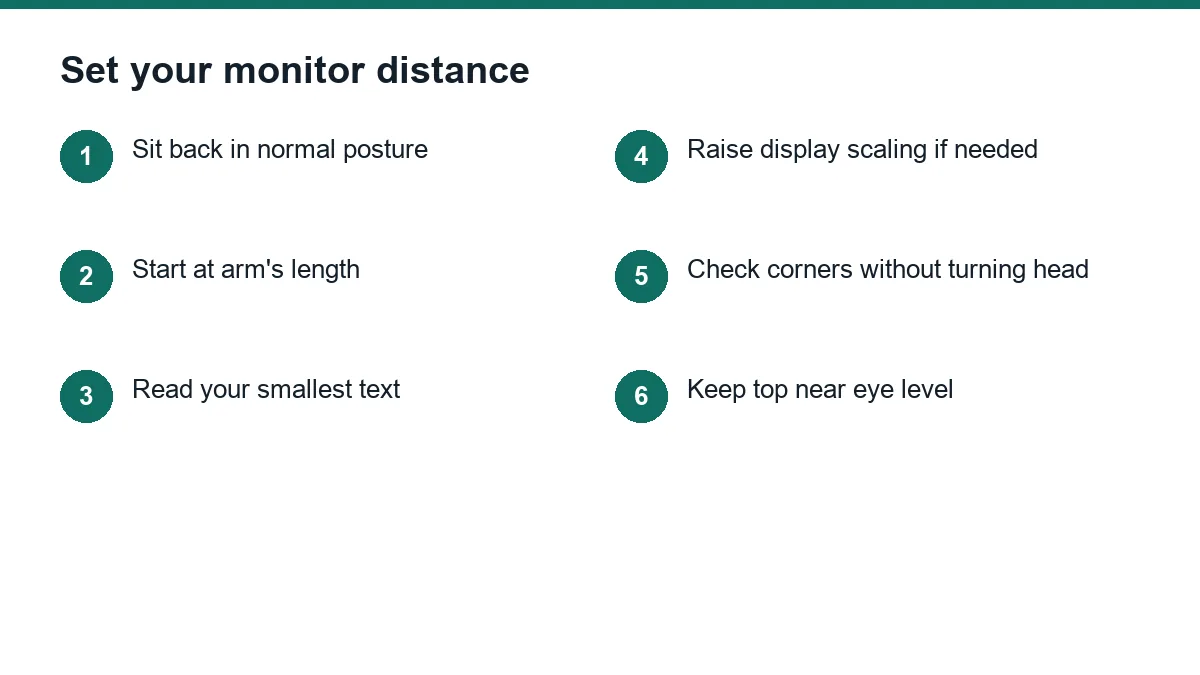
Step 1: Sit in your normal working posture
Sit back with your feet flat and your back supported. Do not lean toward the screen while you set it up.
Step 2: Start at arm’s length
Stretch your arm straight out. Your fingertips should land near the screen. This is a starting point, not a rule.
Step 3: Read your smallest text
Open a document or web page with normal-sized text. If you have to lean in, move the screen closer or increase scaling.
Step 4: Adjust scaling in your system
On Windows, open Settings > System > Display and change Scale. On a Mac, open System Settings > Displays and pick a larger text option.
Step 5: Check the edges and height
Look at each corner. You should see them with your eyes, not by turning your head. Keep the top of the screen at or slightly below eye level.
Common mistakes to avoid
- Sitting too close for sharpness: moving closer to read tiny 4K text strains your eyes. Raise scaling instead.
- Pushing the screen to the back wall: a deep desk does not mean the screen belongs at the far edge.
- Setting distance while leaning: always check from your relaxed seated posture.
- Ignoring glare: reflections make you lean in. Turn the screen so windows sit to the side.
- Forgetting the second screen: each monitor needs the same care. Our guide on dual monitor neck pain shows how to place both.
If text stays blurry at any distance, the issue may be your eyes or the screen settings rather than placement.
When to get help with eye strain
OSHA notes that long screen time can cause eye fatigue and dryness, partly because people blink less. It suggests resting your eyes by focusing on something far away, such as a clock 20 feet across the room.
Lighting matters too, since a dim room around a bright screen creates harsh contrast. A light bar on the monitor can help. Our pick of monitor light bars for curved screens covers wide models.
If your eyes still ache, burn or blur after a good setup, book an eye exam. Many people need a new prescription or glasses made for computer distance. OSHA also mentions single-vision computer lenses for bifocal users who tilt their heads back.
Products for this job
From our buying guides and reviews. We have not tested these ourselves; check the specs and the reviews on Amazon before you buy.
 Anker Nano Power Strip (10-in-1, 70W, Clamp)
 Tripp Lite TLP610U30CLAMPB Protect It! 6-Outlet Desk Clamp Surge ProtectorRead our notesCheck price on Amazon
 Tripp Lite TLP648USBC Protect It! 6-Outlet Desk Clamp Surge ProtectorRead our notesCheck price on Amazon
Frequently Asked Questions
Is 2 feet far enough from a 27 inch monitor?
Two feet is 24 inches, which sits inside OSHA's preferred range of 20 to 40 inches. Whether it suits you depends on your eyesight and text size, so check that you can read everything clearly without leaning.
Should a 4K 27 inch monitor sit closer than a 1440p one?
Not usually, because closer viewing adds eye strain. Instead, keep a comfortable distance and raise the display scaling until text looks the right size, which keeps the extra sharpness without making you lean in closer.
Does a curved 27 inch monitor change the distance?
A little, since the curve keeps the edges at a more even distance from your eyes. Many people sit slightly closer to a curved screen, but you should still stay inside the 20 to 40 inch range.
How do I know my monitor is too close?
Signs include tired eyes, pushing your chair back, or tilting your head to take in the whole screen. Move the monitor back a few inches at a time and recheck how easily you read text.