Monitor Light Bar vs Desk Lamp for Eye Strain (Compared)
Note: If you buy through links on our site, we may earn an affiliate commission at no extra cost to you. How this works.
- Pick a light bar for mostly screen work
- Pick a desk lamp for paper and wide desks
- Keep any light from reflecting on the screen
- Light the room so the screen is not the brightest spot
- Take regular breaks to look far away
Which is better for eye strain: light bar or desk lamp?
Both can reduce eye strain if they cut glare and balance brightness. They do it in different ways, so the better choice depends on your work.
OSHA’s workstation guidance says bright light on a display washes out images and leads to eye fatigue. It also warns that high contrast between a bright screen and dark surroundings can cause eye fatigue and headaches. Good task lighting fixes both problems.
Key takeaway: if you work mostly on a screen, a light bar is the simpler fix. If you split time between screen and paper, a well-placed desk lamp may serve you better. Browse more options in our desk lamp help hub.
How a monitor light bar works
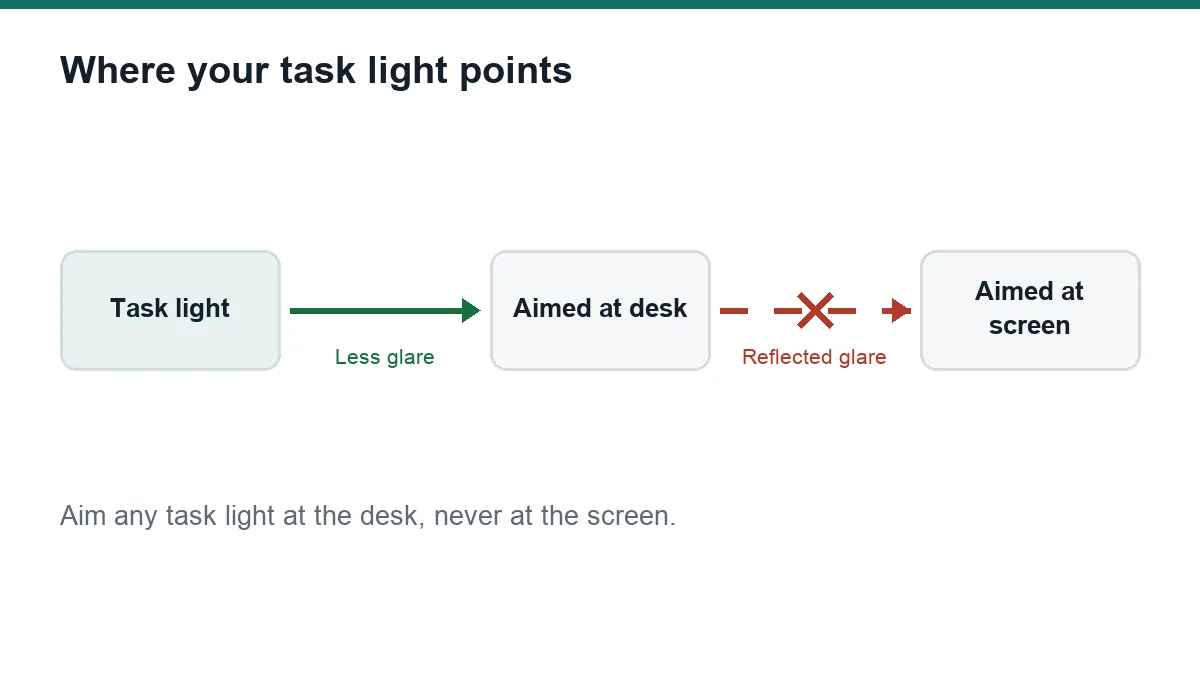
A light bar clamps on top of the monitor and aims light down at the desk in front of it. BenQ says its ScreenBar uses an asymmetric optical design. The goal is to light the desk without reflective glare on the screen.
The main benefits are simple:
- No desk space used: it sits on the monitor, not on the desk.
- Less screen glare: light points away from the display, not at it.
- Even light in front of you: it covers the keyboard area where you look most.
There are limits. A light bar covers a strip of desk, so wide or deep desks may stay dim at the edges.
Some bars do not fit deeply curved or very thin screens, and they can clash with a webcam on top. Our BenQ ScreenBar review covers one model in detail.
How a desk lamp compares
A desk lamp stands on the desk or clamps to its edge. A good lamp with an adjustable arm and head can light paper, a drawing pad or a whole work area.
- Flexible aim: you can point it at a book, notes or a second task.
- Wider coverage: it can light a larger area than a bar.
- Works with any monitor: curve, size and webcam do not matter.
The risk is glare, because a lamp aimed toward the screen bounces light into your eyes. OSHA advises placing task lights so they do not reflect on the screen. It also suggests lamps with shades or glare shields. Our guide on how to choose a desk lamp lists the features that help.
Light bar vs desk lamp at a glance
| Factor | Monitor light bar | Desk lamp |
|---|---|---|
| Best for | Mostly screen work | Paper, reading, mixed tasks |
| Screen glare risk | Low when aimed at the desk | Depends on placement |
| Desk space | None | Base or clamp needed |
| Coverage | Strip in front of the monitor | Wider, adjustable |
| Fit issues | Some curved or thin screens | Fits any setup |
How to set up either light to cut eye strain
Step 1: Check the room light first
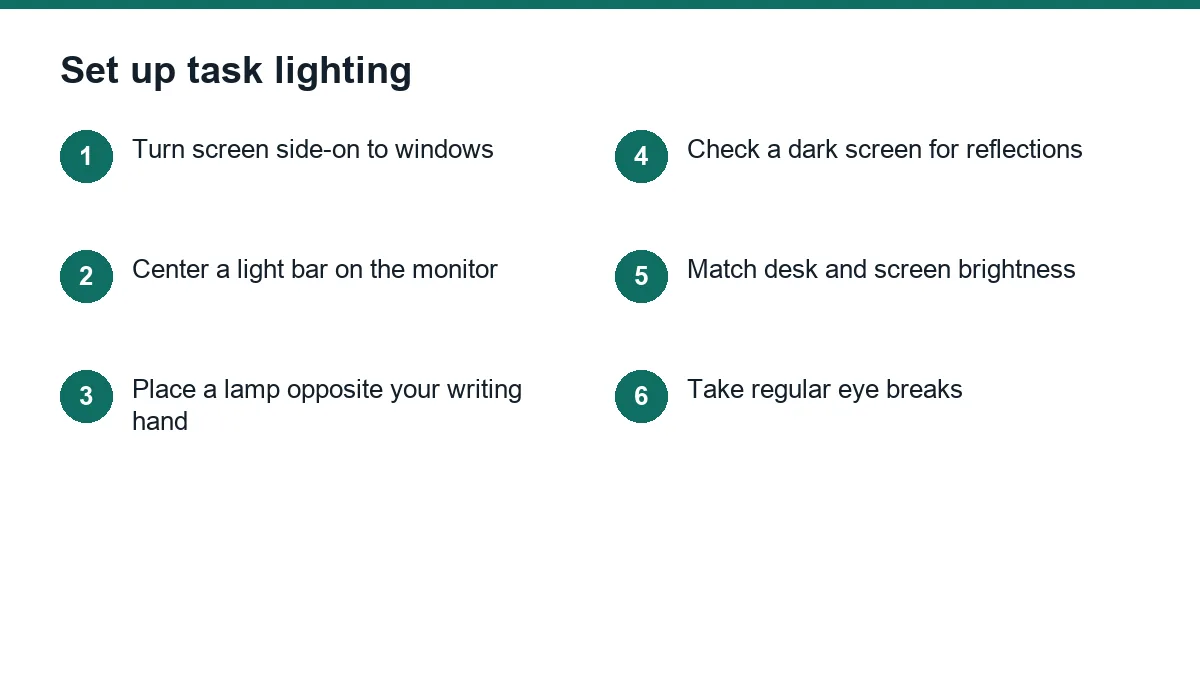
Turn the screen so windows sit to the side, not behind or in front. OSHA recommends placing the screen at right angles to windows.
Step 2: Mount or place the light
Clamp a light bar centered on the monitor. Place a desk lamp to the side opposite your writing hand, with the head angled down.
Step 3: Check for reflections
Sit in your normal position and look at a dark screen. If you see a bright spot, move or tilt the light.
Step 4: Match brightness
Set the light so the desk and the screen look roughly similar in brightness. A screen glowing in a dark room strains the eyes.
Common mistakes to avoid
- Working in the dark: a bright screen in a dark room creates the high contrast OSHA warns about.
- Pointing a lamp at the screen: this adds reflected glare and defeats the purpose.
- Maximum brightness all day: too much light washes out the display. Dim it to match the screen.
- Ignoring flicker: some cheap lights flicker in a way that tires the eyes. Our guide to desk lamp flickering fixes covers this.
- Expecting light to fix everything: no light replaces breaks, a good screen distance and correct glasses.
When to see an eye doctor
OSHA notes that long screen use can dry and tire the eyes, partly because people blink less. It suggests looking away at something far off and blinking often.
If your eyes still hurt, blur or cause headaches after you fix the lighting, book an eye exam. An old prescription is a common cause that no lamp can solve.
Also review the basics while you wait for the appointment. Keep the screen at a comfortable distance, lower its brightness to match the room, and enlarge small text. Our roundup of desk lamp tips for eye strain adds more practical ideas.
Products for this job
From our buying guides and reviews. We have not tested these ourselves; check the specs and the reviews on Amazon before you buy.
 BenQ e-Reading Lamp
 BenQ ScreenBar
Frequently Asked Questions
Can a monitor light bar replace a desk lamp?
For pure screen work it often can, since it lights the keyboard area and leaves the desk clear. If you read paper or need light across a wide desk, you will likely still want a lamp as well.
Do monitor light bars work on curved monitors?
Some do and some do not, because the clamp has to sit securely on a curved top edge. Check the maker's listed compatibility for curved screens, bezel shape and screen thickness before you buy one.
Is warm or cool light better for eye strain?
There is no single best color for everyone, and comfort varies by person and time of day. Many lights let you adjust color temperature, so pick a setting that feels comfortable and does not create glare.
Should the desk lamp be on the left or right?
A common approach is to place it on the side opposite your writing hand so your hand does not cast a shadow. More important is aiming it so the light never reflects off your screen.